 Post by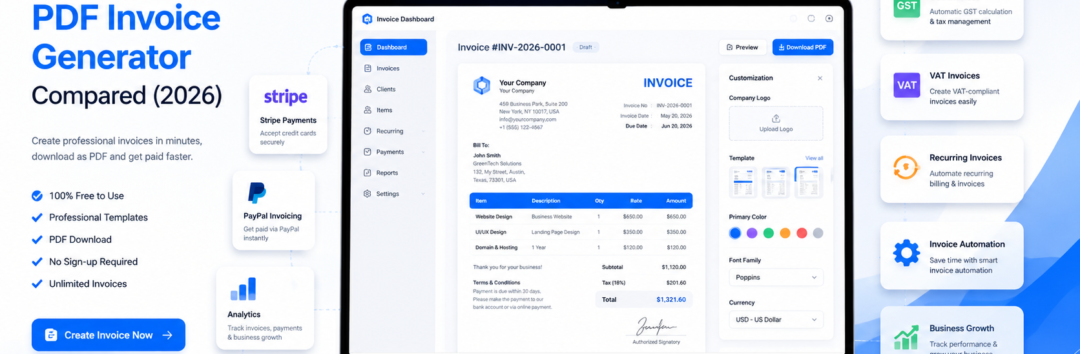
Compare the best free PDF invoice generators in 2026. Discover features, pricing, pros, cons, and choose the right online invoice maker for your business.
Best Free PDF Invoice Generator Compared (2026)
Running a business today is about much more than delivering great products or services. Whether you’re a freelancer sending your first client bill, a startup managing dozens of monthly projects, or a growing company processing hundreds of invoices, one thing remains constant—getting paid on time starts with creating professional invoices.
Fortunately, modern PDF invoice generator tools have made invoicing faster, smarter, and more accessible than ever before. Instead of designing invoices manually or relying on complicated accounting software, you can now use a free invoice generator or online invoice maker to create polished invoices in minutes.
Most platforms allow you to customize your invoice, calculate taxes automatically, download a print-ready PDF, and send invoices directly to your clients without installing any software.
But with dozens of invoicing solutions available in 2026, choosing the right one isn’t always easy. Some platforms focus on speed, while others offer advanced features such as client management, invoice automation, payment reminders, multi-currency invoicing, or seamless accounting software integration.
Others are designed specifically for freelancers, whereas some cater to growing businesses that need recurring billing, project tracking, and online payment capabilities.
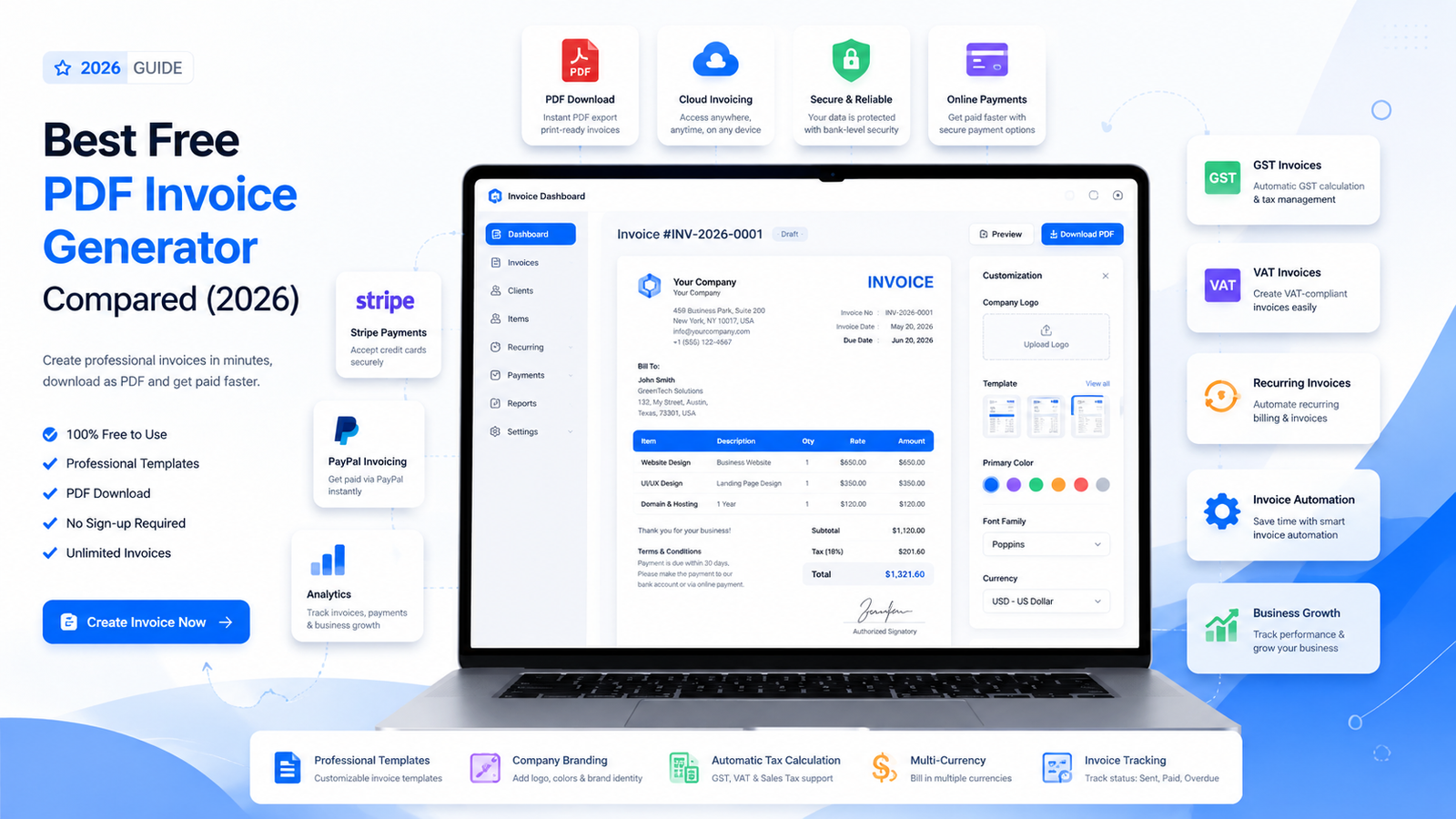
This comprehensive guide compares the Best Free PDF Invoice Generator Compared (2026) based on ease of use, customization options, PDF quality, payment support, automation features, and overall value.
Whether you need a simple browser-based invoice generator or a complete business billing software solution, this article will help you make an informed decision.
We’ll also explain the essential features every modern invoice tool should offer, discuss common invoicing mistakes, compare popular platforms, and help you understand which solution fits your business needs best.
By the end of this guide, you’ll know exactly which invoice generator deserves your attention in.
Why Every Business Needs a Modern PDF Invoice Generator
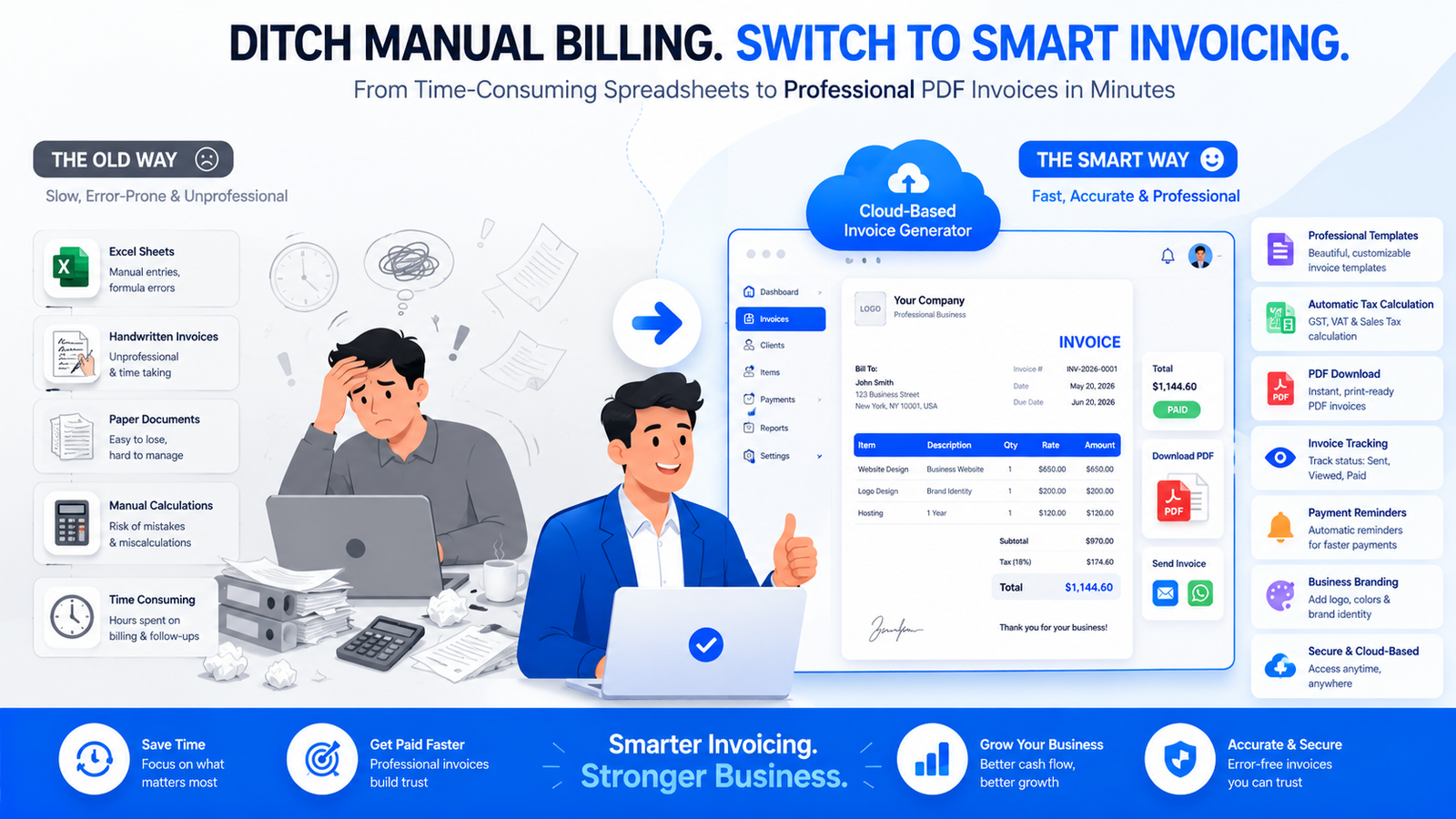
Creating invoices used to be a time-consuming process. Businesses often relied on spreadsheets, word processors, or expensive desktop software that required manual calculations and repetitive data entry. These methods not only consumed valuable time but also increased the risk of human error.
Today, cloud technology has transformed invoicing. A modern PDF invoice generator allows businesses to create, customize, and deliver invoices from virtually anywhere using only a web browser. Most tools require no installation, making them an excellent choice for remote teams, freelancers, consultants, and small businesses.
What Is a PDF Invoice Generator?
A PDF invoice generator is an online tool that creates professional invoices in PDF format. Instead of manually formatting invoices, users simply enter business details, customer information, products or services, tax rates, and payment terms. The software automatically generates a polished invoice that can be downloaded, printed, or shared digitally.
Unlike editable documents, PDFs preserve formatting across all devices, ensuring your invoices look professional regardless of how clients open them.
Modern invoice generators typically include:
- Professional invoice templates
- Automatic invoice numbering
- Built-in automatic tax calculation
- Secure PDF invoice download
- Invoice PDF export
- Business logo support through company logo upload
- Custom invoice fields
- Terms and conditions
- Multiple currencies
- Tax support including GST invoice, VAT invoice, and sales tax calculation
These features save time while improving consistency and professionalism.
Why Businesses Are Switching to Online Invoice Makers
Businesses increasingly prefer an online invoice maker over traditional desktop software because of its flexibility and convenience.
Some of the biggest advantages include:
Faster Invoice Creation
Instead of building invoices from scratch, users select one of several professionally designed invoice templates, enter the required details, and generate invoices within minutes.
For freelancers managing multiple clients or agencies billing several projects weekly, this time savings quickly adds up.
Professional Appearance
First impressions matter.
A professionally designed invoice communicates credibility and reinforces your brand.
Most modern tools support:
- Business branding
- Custom colors
- Logo placement
- Professional invoice design
- Clean typography
- Organized layouts
A polished invoice increases client confidence and contributes to a more professional payment experience.
Better Accuracy
Manual calculations are one of the most common causes of invoice disputes.
Modern invoice software automatically performs:
- Item totals
- Discounts
- Automatic tax calculation
- Shipping fees
- Currency conversion
- Grand totals
This minimizes errors and reduces payment delays.
Improved Client Experience
Customers appreciate invoices that are easy to understand.
Clear layouts, structured line items, payment instructions, and transparent tax calculations reduce confusion and encourage faster payments.
Many platforms also include:
- Customer portal
- Invoice history
- Payment status
- Download options
- Online payment buttons
Works Anywhere
One of the biggest advantages of cloud-based invoicing is accessibility.
A browser-based invoice generator works on:
- Windows
- macOS
- Linux
- Android
- iPhone
- Tablets
Because everything happens online, there is no software installation required.
Why PDF Remains the Preferred Invoice Format
Although many document formats exist, PDF continues to dominate business invoicing for several reasons.
Universal Compatibility
Every modern computer, smartphone, and tablet can open PDF files without formatting issues.
Professional Presentation
A print-ready PDF maintains consistent fonts, spacing, logos, and layouts regardless of the device being used.
Easy Sharing
Invoices can be shared via:
- Messaging apps
- Cloud storage
- Client portals
Many platforms support invoice sharing via email directly after invoice creation.
Security
PDFs can include:
- Password protection
- Digital signatures
- Locked formatting
This makes them more secure than editable Word documents.
The Rise of Digital Invoicing
The shift toward the digital invoice isn’t simply a technological trend—it’s becoming standard business practice.
Governments around the world increasingly encourage electronic invoicing for tax compliance and record keeping.
Businesses also benefit through:
- Faster payments
- Better document organization
- Easier accounting
- Reduced paper usage
Cloud-based invoicing additionally simplifies backups and retrieval, eliminating the risk of losing paper records.
Who Benefits Most from Free Invoice Generators?
Modern invoicing tools are designed for businesses of all sizes.
Freelancers
Freelancers often need:
- Simple invoices
- Fast creation
- Professional branding
- Client records
A quality platform supporting freelancer invoicing lets independent professionals focus more on client work than paperwork.
Small Businesses
Growing companies benefit from:
- Small business invoicing
- Customer tracking
- Tax calculation
- Branding
- Payment reminders
Many free tools provide more than enough functionality for businesses processing dozens of invoices each month.
Agencies
Marketing agencies, designers, developers, and consultants often manage multiple projects simultaneously.
Features like:
- Project management
- Time tracking
- Expense tracking
- Client databases
make invoicing significantly easier.
International Businesses
Companies serving overseas customers require:
- Multi-currency invoicing
- Currency conversion
- Local tax compliance
Supporting international invoicing helps businesses operate globally without creating separate invoice systems.
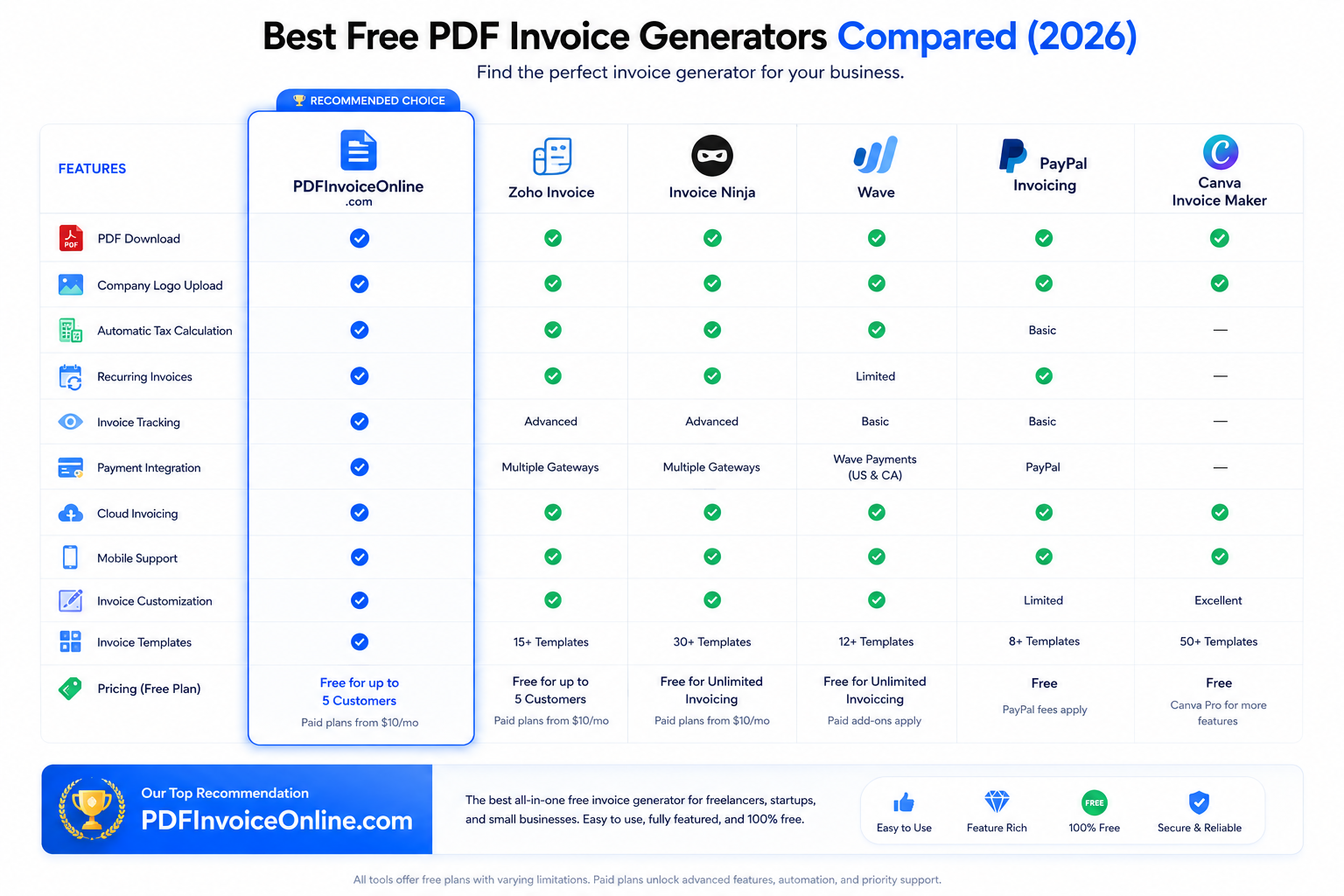
Essential Features to Look for in the Best Free PDF Invoice Generator Compared
Not every invoice generator offers the same capabilities.
Some focus on speed while others prioritize automation, accounting integrations, or payment processing.
Before choosing an invoicing solution, consider the following essential features.
1. Professional Invoice Templates
Good design improves readability and builds trust.
Choose software offering multiple customizable professional invoice template options suitable for different industries.
Templates should support:
- Logo placement
- Color customization
- Contact information
- Tax details
- Payment instructions
2. Invoice Customization
Every business has unique requirements.
A good platform should allow complete invoice customization, including:
- Fonts
- Colors
- Business details
- Notes
- Additional fields
- Branding
Customization helps create invoices that reflect your company’s identity.
3. Company Logo Upload
Brand recognition matters.
Being able to perform a company logo upload instantly transforms a generic invoice into a branded business document.
This feature strengthens professionalism and improves customer trust.
4. Automatic Invoice Numbering
Every invoice should have a unique reference.
Automatic invoice numbering prevents duplicate invoices while simplifying bookkeeping and future record searches.
5. Flexible Tax Support
Businesses operate under different tax systems.
The best tools support:
- GST invoice
- VAT invoice
- Sales tax calculation
- Multiple tax rates
Automatic calculations reduce manual work while improving compliance.
6. Invoice PDF Export
Downloading invoices shouldn’t require complicated steps.
A quality platform should provide instant invoice PDF export with one click while maintaining professional formatting.
7. Quote to Invoice Conversion
Businesses often begin with estimates and quotes before starting work.
Later, these documents should convert into invoices without requiring duplicate data entry.
Efficient quote to invoice conversion saves considerable administrative time.
8. Online Payments
Today’s customers expect convenient payment options.
Leading tools support:
- Credit cards
- Debit cards
- Bank transfers
- UPI (where available)
- Digital wallets
Many solutions also integrate PayPal invoicing, Stripe payments, and other payment gateway integration options, allowing customers to pay directly from the invoice.
9. Payment Reminders and Invoice Tracking
Late payments remain one of the biggest challenges for small businesses.
Modern software automatically sends payment reminders, while built-in invoice tracking lets you monitor whether invoices are Draft, Sent, Viewed, or Paid. This clear invoice status (Draft, Sent, Paid) visibility helps improve cash flow and reduces manual follow-ups. Some platforms also include overdue invoice tracking to highlight invoices requiring immediate attention.
10. Automation and Business Growth
As your business grows, repetitive administrative tasks can become a bottleneck. Features such as recurring invoices, invoice automation, workflow automation, cloud invoicing, and accounting software integration help streamline operations. Businesses can automate monthly subscriptions, sync data with bookkeeping systems, and reduce manual work.
Advanced platforms may also include client management, expense tracking, time tracking, and support for unlimited free invoices, making them ideal for agencies and service-based businesses. If you only need a lightweight solution, a no sign-up invoice generator can be perfect for creating quick invoices without creating an account, while still delivering a professional, print-ready PDF.
Best Free PDF Invoice Generator Compared (2026)
Choosing the right invoicing solution depends on your business size, workflow, and future growth plans. Some businesses simply need a fast PDF invoice generator to create invoices within minutes, while others require advanced features such as client management, invoice automation, accounting software integration, and support for online payments.
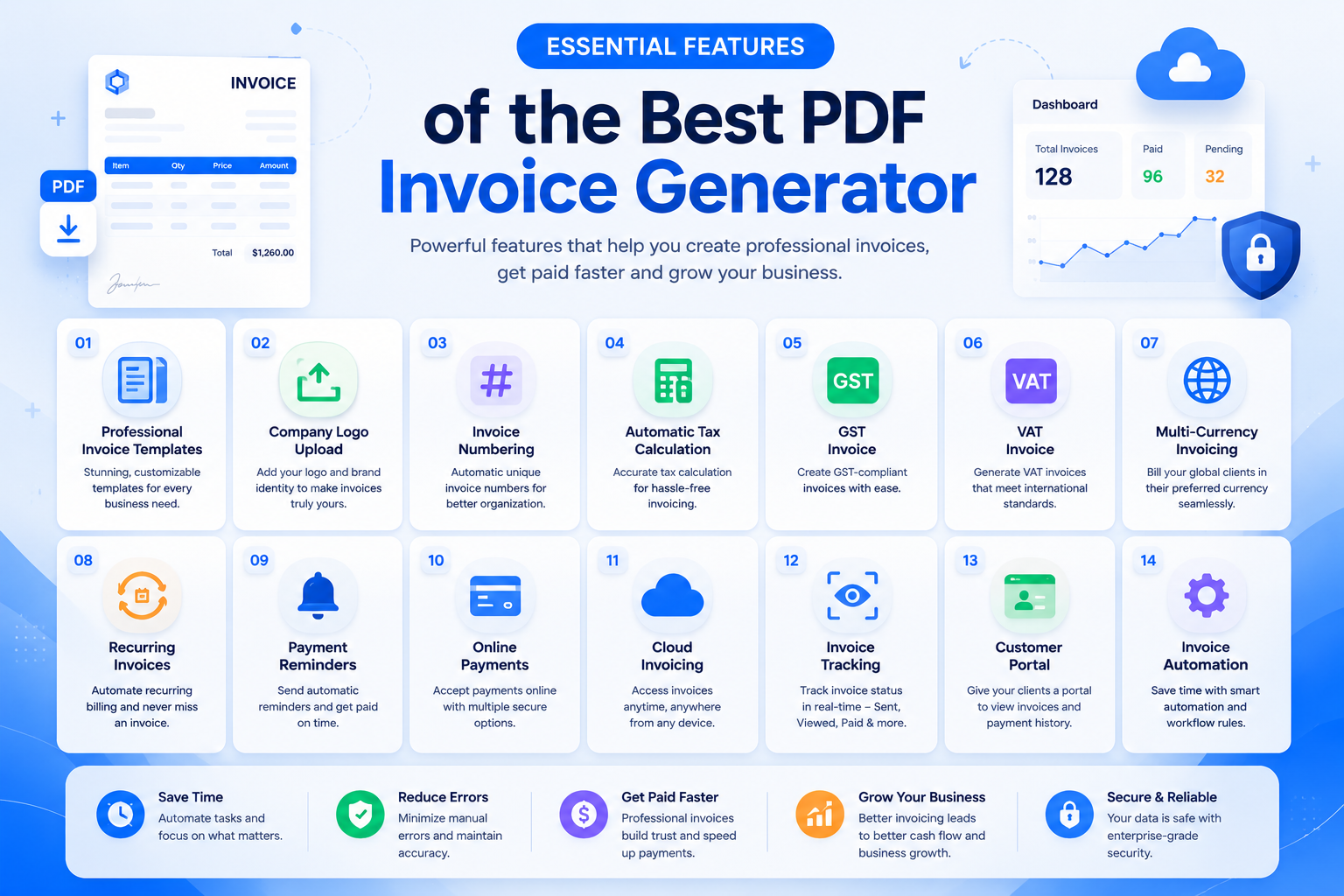
To help you make an informed decision, we’ve compared some of the most popular invoice generators available in 2026 based on usability, customization, payment options, tax support, automation, and overall value.
1. PDFInvoiceOnline.com – Best for Fast, Professional PDF Invoices
Best For: Freelancers, consultants, startups, agencies, and small businesses.
If your goal is to create professional invoices without dealing with complicated accounting software, PDFInvoiceOnline.com is one of the strongest choices in 2026.
Unlike many platforms that require account creation before you can start, PDFInvoiceOnline.com focuses on speed and simplicity. It works as a browser-based invoice generator, allowing users to create polished invoices directly from their web browser.
Key Features
- Easy-to-use online invoice maker
- Professional invoice templates
- Complete invoice customization
- Instant PDF invoice download
- High-quality invoice PDF export
- Company logo upload
- Automatic invoice numbering
- Automatic tax calculation
- Support for GST invoice, VAT invoice, and sales tax calculation
- Print-ready PDF
- Mobile-friendly interface
Pros
✔ No software installation
✔ Beginner-friendly interface
✔ Fast invoice creation
✔ Professional invoice layouts
✔ Excellent for freelancer invoicing
✔ Suitable for small business invoicing
Cons
- Does not replace a complete accounting platform
- Limited financial reporting compared to enterprise software
If your primary objective is creating professional invoices quickly, PDFInvoiceOnline.com offers an excellent balance of simplicity and functionality.
2. Zoho Invoice
Best For: Growing businesses looking for invoicing plus business management.
Zoho Invoice has built a strong reputation by combining invoicing with CRM and accounting features. It offers much more than invoice creation, making it attractive for companies expecting future growth.
Notable Features
- Professional invoices
- Client management
- Customer portal
- Recurring invoices
- Payment reminders
- Online payment collection
- Expense reports
- Time billing
- Mobile apps
Advantages
- Free plan available
- Highly customizable
- Excellent automation
- Works well with the Zoho ecosystem
Disadvantages
- Requires account creation
- More complex than lightweight invoice generators
Businesses already using Zoho CRM or Zoho Books will appreciate the seamless workflow.
3. Invoice Ninja
Best For: Agencies and advanced freelancers.
Invoice Ninja offers one of the richest feature sets among free invoicing solutions.
Besides invoicing, it includes:
- Project management
- Time tracking
- Expense tracking
- Client portals
- Task management
- Proposal generation
One particularly useful capability is quote to invoice conversion, allowing businesses to transform approved proposals directly into invoices.
Pros
- Open-source platform
- Highly customizable
- Multiple payment gateways
- Supports international businesses
Cons
- Learning curve for beginners
- Interface contains many advanced settings
4. Wave
Best For: Small businesses wanting free accounting.
Wave combines invoicing with bookkeeping.
Its strengths include:
- Accounting
- Receipt scanning
- Expense management
- Bank synchronization
- Unlimited invoices
For many entrepreneurs, Wave functions as lightweight business billing software rather than just an invoice creator.
Pros
- Free accounting
- Professional invoices
- Tax reporting
- Financial dashboard
Cons
- Paid payment processing
- Limited customization compared to design-focused platforms
5. Canva Invoice Maker
Best For: Businesses focused on branding.
Canva isn’t traditional invoicing software.
Instead, it excels at producing beautiful invoice designs.
Users can customize:
- Colors
- Fonts
- Layouts
- Graphics
- Brand identity
This makes Canva ideal for companies prioritizing business branding and premium invoice design.
However, calculations remain manual.
Pros
- Beautiful templates
- Drag-and-drop editing
- Strong visual customization
Cons
- No automation
- Manual tax calculations
- No invoice tracking
6. PayPal Invoicing
Best For: Businesses accepting PayPal payments.
PayPal focuses on simplifying online payments.
Invoices can include payment buttons that allow customers to pay immediately.
Features
- PayPal invoicing
- International payments
- Payment tracking
- Automatic reminders
Pros
- Trusted brand
- Quick online payments
- Excellent for freelancers
Cons
- Transaction fees
- Limited invoice customization
Feature Comparison Table
| Feature | PDFInvoiceOnline | Zoho Invoice | Invoice Ninja | Wave | Canva | PayPal |
|---|---|---|---|---|---|---|
| Free Plan | ✅ | ✅ | ✅ | ✅ | ✅ | ✅ |
| PDF Download | ✅ | ✅ | ✅ | ✅ | ✅ | ✅ |
| Company Logo | ✅ | ✅ | ✅ | ✅ | ✅ | Limited |
| Tax Calculation | ✅ | ✅ | ✅ | ✅ | Manual | Basic |
| Invoice Templates | ✅ | ✅ | ✅ | Limited | Excellent | Basic |
| Recurring Invoices | Planned | ✅ | ✅ | ✅ | ❌ | ✅ |
| Customer Portal | ❌ | ✅ | ✅ | ❌ | ❌ | ❌ |
| Time Tracking | ❌ | ✅ | ✅ | ❌ | ❌ | ❌ |
| Expense Tracking | ❌ | ✅ | ✅ | ✅ | ❌ | ❌ |
| Online Payments | Planned | ✅ | ✅ | ✅ | ❌ | ✅ |
| Multi-Currency | ✅ | ✅ | ✅ | Limited | Manual | ✅ |
| Invoice Automation | Limited | Advanced | Advanced | Moderate | ❌ | Moderate |
How to Choose the Best Free PDF Invoice Generator
Every business has unique invoicing requirements. Instead of choosing the software with the most features, focus on selecting one that solves your everyday challenges.
Here are the most important factors to consider.
Ease of Use
The best invoice generator should simplify your workflow—not complicate it.
Look for software that allows you to:
- Create invoices in minutes
- Navigate easily
- Edit information quickly
- Download invoices instantly
An intuitive interface saves time and reduces mistakes.
Professional Appearance
Your invoice represents your business.
Choose software offering:
- Clean layouts
- Professional typography
- Brand colors
- Logo placement
- Modern invoice templates
Professional invoices build credibility and encourage timely payments.
Tax Compliance
Businesses operating internationally often need different tax systems.
Good invoice software should support:
- GST
- VAT
- Sales Tax
- Multiple tax rates
Automatic calculations reduce accounting errors.
Payment Flexibility
Customers pay faster when payment methods are convenient.
Look for support for:
- Credit Cards
- Bank Transfer
- Digital Wallets
- Stripe payments
- PayPal invoicing
- Other payment gateway integration
Integrated payments shorten the payment cycle.
Automation Features
Automation becomes increasingly valuable as your business grows.
Helpful features include:
- Recurring invoices
- Automatic reminders
- Scheduled billing
- Client records
- Invoice duplication
These tools eliminate repetitive work.
Cloud Accessibility
Cloud-based platforms allow you to work from anywhere.
Advantages include:
- Automatic backup
- Device synchronization
- Remote access
- Team collaboration
This flexibility is particularly useful for agencies and remote businesses.
Which Invoice Generator Is Best for Different Users?
Different businesses have different priorities.
Here’s a quick recommendation guide.
Best for Freelancers
If you’re an independent consultant, designer, writer, or developer, your priorities are speed and simplicity.
Recommended:
✅ PDFInvoiceOnline.com
Why?
- Fast invoice creation
- Professional PDFs
- Branding support
- Easy client billing
Best for Small Businesses
Growing businesses benefit from more automation.
Recommended:
✅ Zoho Invoice
Reasons:
- Customer database
- Automated reminders
- Accounting integrations
- Recurring billing
Best for Agencies
Agencies typically manage multiple clients simultaneously.
Recommended:
✅ Invoice Ninja
Its combination of:
- Project management
- Expense tracking
- Time tracking
- Client management
makes it ideal for service-based businesses.
Best for Designers
Recommended:
✅ Canva
Perfect when visual presentation matters more than automation.
Best for Online Payments
Recommended:
✅ PayPal
Excellent if your customers already pay through PayPal.
Expert Buying Tips
Before choosing an invoice generator, ask yourself:
- Will I need recurring invoices?
- Do I need accounting software integration?
- Do my clients pay internationally?
- Do I require multiple currencies?
- Will my business grow over the next two years?
- Do I need client portals?
- Will automation save me time?
Answering these questions helps narrow your options quickly.
For many freelancers and small businesses, a lightweight solution like PDFInvoiceOnline.com provides everything needed without the complexity of enterprise accounting software. As your business expands, you can always migrate to a more comprehensive platform if advanced reporting or financial management becomes necessary.
Conclusion: Which Is the Best Free PDF Invoice Generator in 2026?
After comparing the leading tools available today, it’s clear that there isn’t a single solution that’s perfect for every business. The Best Free PDF Invoice Generator Compared (2026) depends on your workflow, business size, and the features you value most.
If you’re a freelancer or consultant who simply wants to create professional invoices quickly, a lightweight browser-based invoice generator like PDFInvoiceOnline.com is an excellent choice. It lets you create polished invoices in minutes, download a print-ready PDF, add your company logo, customize invoice details, and share invoices with clients—all without unnecessary complexity.
For businesses that require advanced capabilities such as recurring invoices, client management, time tracking, expense tracking, or accounting software integration, solutions like Zoho Invoice, Invoice Ninja, or Wave may be more suitable.
When evaluating an invoicing solution, don’t focus only on the number of features. Instead, consider how well the software supports your daily operations. A clean interface, reliable invoice tracking, support for online payments, automatic tax calculations, and professional branding often provide more value than dozens of features you’ll never use.
Key Takeaways
- Choose software that matches your business size.
- Prioritize ease of use and professional invoice design.
- Ensure support for GST, VAT, or local tax requirements.
- Look for automation features as your business grows.
- Use cloud-based tools for flexibility and secure access.
- Select an invoice generator that offers fast PDF downloads and customizable templates.
- Consider payment integrations if you invoice international clients.
- Review your invoicing needs regularly as your business evolves.
Whether you’re sending one invoice a month or hundreds each week, investing in the right invoice generator can save time, improve cash flow, and enhance your professional image.
If you’re looking for a fast, secure, and easy-to-use solution, try PDFInvoiceOnline.com to create professional PDF invoices online for free.
FAQ: Best Free PDF Invoice Generator Compared
1. What is a PDF invoice generator?
A PDF invoice generator is an online tool that helps businesses create professional invoices and export them as PDF files for printing or sharing digitally.
2. What is the best free PDF invoice generator in 2026?
The best choice depends on your needs. PDFInvoiceOnline.com is ideal for fast invoice creation, while Zoho Invoice, Invoice Ninja, and Wave offer additional business management features.
3. Are free invoice generators really free?
Many platforms offer free plans with basic invoicing features. Some charge for premium tools such as automation, advanced reporting, or additional users.
4. Can I download invoices as PDF?
Yes. Most modern invoice generators allow instant PDF downloads while preserving professional formatting.
5. Can I add my company logo?
Yes. Most professional invoice generators support logo uploads to help maintain consistent business branding.
6. Can I create GST invoices online?
Yes. Many invoice generators support GST-compliant invoices with automatic tax calculations.
7. Do invoice generators support VAT?
Yes. Most business invoice software supports VAT calculations for businesses operating in applicable countries.
8. Is online invoicing secure?
Reputable cloud-based invoice generators use encrypted connections and secure servers to protect your business data.
9. Can I create invoices without signing up?
Some browser-based invoice generators allow invoice creation without requiring user registration.
10. What file format should I use for invoices?
PDF remains the preferred format because it preserves formatting across all devices.
11. Can I send invoices directly by email?
Yes. Many platforms support invoice sharing via email after generating the PDF.
12. Can customers pay directly from an invoice?
Many invoice generators integrate with payment gateways like PayPal and Stripe to enable online payments.
13. What is invoice numbering?
Invoice numbering assigns unique reference numbers to invoices, making them easier to track and organize.
14. Why are recurring invoices useful?
Recurring invoices automate billing for subscription services, retainers, and monthly contracts.
15. Can freelancers use free invoice generators?
Absolutely. Free invoice generators are designed for freelancers, consultants, and independent professionals.
16. What information should every invoice include?
A professional invoice should include business details, customer information, invoice number, issue date, due date, payment terms, line items, taxes, and total amount.
17. Can I invoice international clients?
Yes. Many invoice generators support multiple currencies and international invoicing.
18. What are payment reminders?
Payment reminders automatically notify customers before or after invoice due dates to reduce late payments.
19. What is invoice tracking?
Invoice tracking allows businesses to monitor whether invoices are draft, sent, viewed, paid, or overdue.
20. What are custom invoice fields?
Custom fields allow businesses to include additional information such as purchase order numbers, project codes, or client references.
21. Should small businesses use invoice software?
Yes. Invoice software saves time, reduces errors, and improves payment collection.
22. What’s the difference between an invoice and a receipt?
An invoice requests payment before it is received, while a receipt confirms that payment has already been made.
23. Can invoice generators calculate taxes automatically?
Yes. Most modern platforms calculate GST, VAT, and sales tax automatically.
24. What is cloud invoicing?
Cloud invoicing allows businesses to create, store, and access invoices online from any device.
25. Can invoice software integrate with accounting software?
Many platforms integrate with accounting solutions to synchronize invoices and financial records.
26. How can I reduce late payments?
Use clear payment terms, automated reminders, online payment options, and accurate invoices.
27. Is a browser-based invoice generator better than desktop software?
For many small businesses, browser-based tools offer greater flexibility because they require no installation and can be accessed from anywhere.
28. Can I customize invoice templates?
Yes. Most invoice generators let you customize colors, logos, fonts, and layout to match your brand.
29. Which businesses benefit most from invoice generators?
Freelancers, consultants, agencies, contractors, startups, retailers, and small businesses all benefit from faster and more professional invoicing.
30. How do I choose the best free PDF invoice generator?
Compare ease of use, customization, tax support, payment options, automation, PDF quality, integrations, and scalability before making your decision.
What is the best free PDF invoice generator?
The best free PDF invoice generator depends on your business needs. PDFInvoiceOnline.com is ideal for creating professional PDF invoices quickly, while Zoho Invoice, Invoice Ninja, and Wave offer additional accounting and automation features.
How do I create a PDF invoice online?
Choose an online invoice maker, enter your business and client details, add products or services, apply taxes if required, preview the invoice, and download it as a PDF.
Is a PDF invoice legally valid?
Yes. In most countries, PDF invoices are legally valid provided they include the required business, tax, and transaction details.
Also Read: How to Create a Professional Invoice in Minutes (Complete Step-by-Step Guide)